
WSQ Create interactive Dashboard in Excel Course
Physical Training Available, Fundings Applicable.
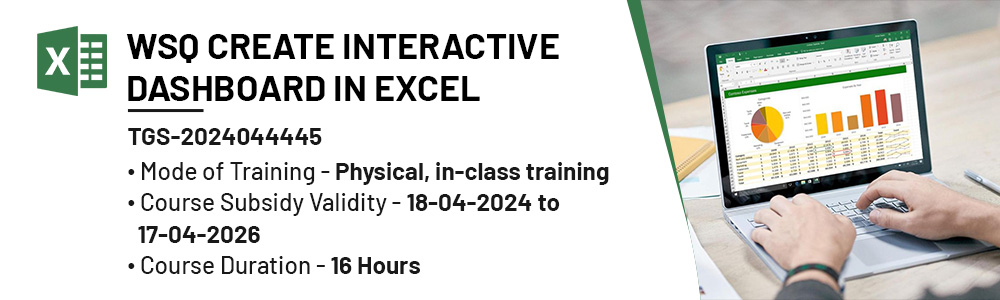
Unlock the power of data visualization with the WSQ Create Interactive Dashboard in Excel course in Singapore. This course equips you with the skills to design dynamic and interactive dashboards using Excel, enhancing your ability to analyze and present data effectively. Perfect for business professionals, analysts, and managers, you'll learn to transform raw data into insightful visual reports that drive better decision-making. With hands-on training, you'll master the techniques to create compelling dashboards that streamline data management and improve business efficiency. Enroll today and take your data presentation skills to the next level!
WSQ
Post Secondary Education Account
SkillsFuture Eligible
PSEA
Post Secondary Education Account
UTAP
NTUC members
TRAINING FEE
*Course fee before funding: $ 495.00/pax< + 9% GST
| Self-sponsor/ Non-SME Company Sponsor | SME Company Sponsor | |||
|---|---|---|---|---|
| Full Course Fee (no funding) |
Age 21-39 S/PRs (SkillsFuture Funding Baseline) |
Age 40 above (SkillsFuture Mid-career Enhanced Subsidy) |
SME Company Sponsor (SkillsFuture Enhanced Training support for SMEs) |
|
| Full Course Fee (bef funding) | $495.00 | $495.00 | $495.00 | $495.00 |
| SkillsFuture Funding (WSQ) | - $0.00 | - $247.50 | - $346.50 | - $346.50 |
| GST (On Full Fee) | + $44.55 | + $44.55 | + $44.55 | + $44.55 |
| Total Payable (After Funding and GST Included) |
$539.55 (After Funding and GST Included) |
$292.05 (After Funding and GST Included) |
$193.05 (After Funding and GST Included) |
$193.05 (After Funding and GST Included) |
Payable amount after WSQ funding is eligible for further support from SFEC, SkillsFuture, PSEA & UTAP where applicable
Kindly note that you are required to achieve a minimum of 75% attendance and be certified competent in all the assessment components. Should you fail to meet the attendance/assessment requirements and/or terms and conditions of SSG's funding, you will not be eligible for the course fee funding and will have to bear the full course fees.
*) SFEC, Absentee payroll and WSS funding also applicable for WSQ courses. For further details please refer to WSQ Funding by Skilllsfuture SG – Inspizone Trainings
Discount Policy:
- 4 pax from a same group: 5% discount for each person
- 5 pax from a same group: 10% discount for each person
Assessment Plan:
- Written Assessment – Short Answer Question (WA-SAQ): 1 hour
- Practical Performance: 1 hour
- An entrance tests are required before the course: Kindly help us process via Quiz
Who Should Attend WSQ Create interactive Dashboard in Excel Course
This course is ideal for executives, analysts, managers, and administrative staff who want to enhance data visualization skills and create professional, interactive Excel dashboards for better decision-making.

Training Professionals

Business professionals

Entrepreneur

Students
What Will You Learn in the WSQ Create Interactive Dashboard in Excel Course
- Excel Dashboard Fundamentals: Understand the key components and principles of creating effective and interactive Excel dashboards.
- Data Visualization Techniques: Learn to use various Excel tools and features to visualize data clearly and attractively, including charts, graphs, and pivot tables.
- Dynamic Data Integration: Master techniques for integrating and updating data dynamically in your dashboards to ensure real-time accuracy and relevance.
- Advanced Excel Functions: Utilize advanced Excel functions and formulas to manipulate and analyze data efficiently within your dashboard.
- User-Friendly Interface Design: Design intuitive and user-friendly dashboard interfaces that facilitate easy navigation and data interpretation for end-users.
- Automation and Interactivity: Incorporate automation and interactivity into your dashboards using macros, slicers, and interactive controls to enhance user engagement and productivity.
Course Outline:
Lesson 1
- Use data analytics tools and techniques to visualise trends and patterns according to data modelling principles.
Lesson 3
- Compute database queries according to data protection standards to extract relevant data across multiple sources
Lesson 5
- Develop performance dashboards and insight reports by integrating functional languages to derive business insights.
Lesson 7
- Employ PivotCharts in Excel to merge data from diverse structures with interactive reporting features for presentation of business insights.
Lesson 2
- Apply data cleansing techniques and quality check to transform them into digestible data sets.
Lesson 4
- Analyse distinct data sets with defined statistical techniques and machine learning methods.
Lesson 6
- Optimise PivotTables in Excel to generate dynamic business insight reports tailored to specific domain contexts.
ADDITIONAL SUPPORT
For Company
* Eligible companies can reimburse up to 90% of the payable amount via SFEC
For Self-sponsor
* Singaporean can offset the payable amount via SkillsFuture Credit (Except Mid Career Credit) and/or PSEA
* NTUC Union members can reimburse of up to 50% of the unfunded fee under UTAP
Enjoy up to $250 UTAP support. More info: UTAP
Note: minimum 75% attendance & passing all the assessment are required for WSQ subsidy deduction.